Buy a Licensed Company
  Explore VASP Data
  Talk to an Expert
 Buy a registered Canadian MSB
Trezor is the original hardware wallet: self-custody, open-source, and built entirely around keeping your private keys offline.
| Founded | 2013 |
| Headquarters | Czechia |
| Wallet Type | Hardware Wallet |
| Models Available | Model One, Model T, Safe 3, Safe 5, Safe 7 |
| Chains Supported | 8,000+ coins and tokens |
| Connectivity | USB-C, Bluetooth (Safe 7) |
| Backup & Recovery | 12-word or 24-word BIP39 seed phrase; Shamir Backup (SLIP39) |
| Companion App | Trezor Suite (Desktop & Mobile) |
| Customer Support | Help center, email, Trezor Expert (1:1 onboarding) |
| Deposit/Receive Methods | Onchain crypto transfers, fiat purchases via Suite partners |
| Price & Fees | $59 to $249 depending on model; standard network fees apply |
Trezor launched in 2013 as a project by Marek “Slush” Palatinus and Pavol “Stick” Rusnák under the Prague-based company SatoshiLabs. It was the first commercially available hardware wallet ever sold. Over a decade later, it remains one of the two dominant names in the space, and its core philosophy has not changed: generate private keys on the device, keep them offline, and require physical confirmation on the hardware before anything is signed.
The product line has expanded significantly since the original Model One. As of 2026, Trezor sells five models across two generations: the legacy Model One and Model T, and the current Safe series comprising the Safe 3, Safe 5, and Safe 7. The Safe 7, which launched in October 2025, represents the most significant leap forward, introducing a built-in battery, Bluetooth connectivity, full iOS support, and the first implementation of post-quantum cryptography in a consumer hardware wallet.
Matěj Žák took over as CEO in 2023, with Palatinus remaining involved in strategic and technical direction. That split reflects how the company has matured: the founding vision is preserved while operational execution has professionalized.
What makes Trezor stand out is the combination of open-source firmware and a non-custodial model. Every line of code that runs on your device is publicly available for anyone to review. You own your private keys. Trezor never holds them, has no access to them, and cannot recover them on your behalf. That last point is worth sitting with: if you lose your recovery seed, your funds are gone permanently. That is not a flaw in the design; it is the design.
Trezor suits long-term holders who want genuine self-custody, privacy-conscious users who want no account tied to their assets, and anyone who wants to interact with DeFi without exposing their keys to a browser extension wallet directly. It is less suitable for active traders who need fast execution across many pairs, or for users who primarily access crypto from an iPhone and are not on the Safe 7.
The device that started it all. Model One has a 0.96-inch OLED screen and two buttons. It remains functional and affordable at around $49, but it carries important limitations: no support for XRP, SOL, ADA, or XMR, no secure element chip, and no Shamir Backup. If you primarily hold Bitcoin and Ethereum and want the most affordable entry point, it still does the job. For anyone building a more diversified portfolio, the Safe 3 is the better starting point at a small price premium.
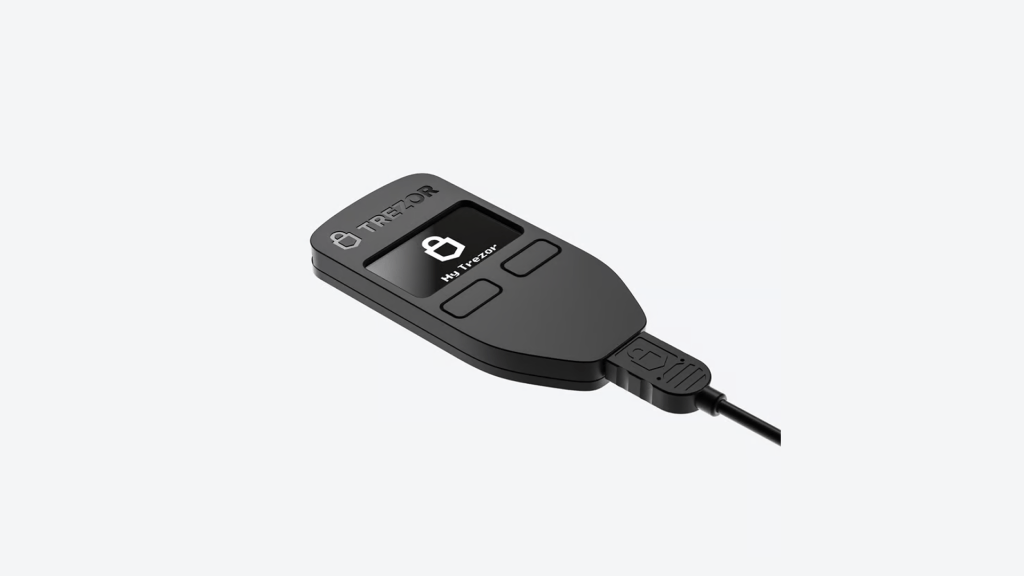
The Model T introduced a 1.54-inch color touchscreen and support for a broader range of coins, including XRP, Cardano with Yoroi staking integration, and Zcash with shielded address support. It also added a microSD slot and support for Shamir Backup (SLIP39), which lets you split your recovery seed into multiple shares. The listed price is around $79. As of 2026, the Model T sits in an odd position in the lineup: it is more capable than the Model One but lacks the secure element chip that all Safe models include.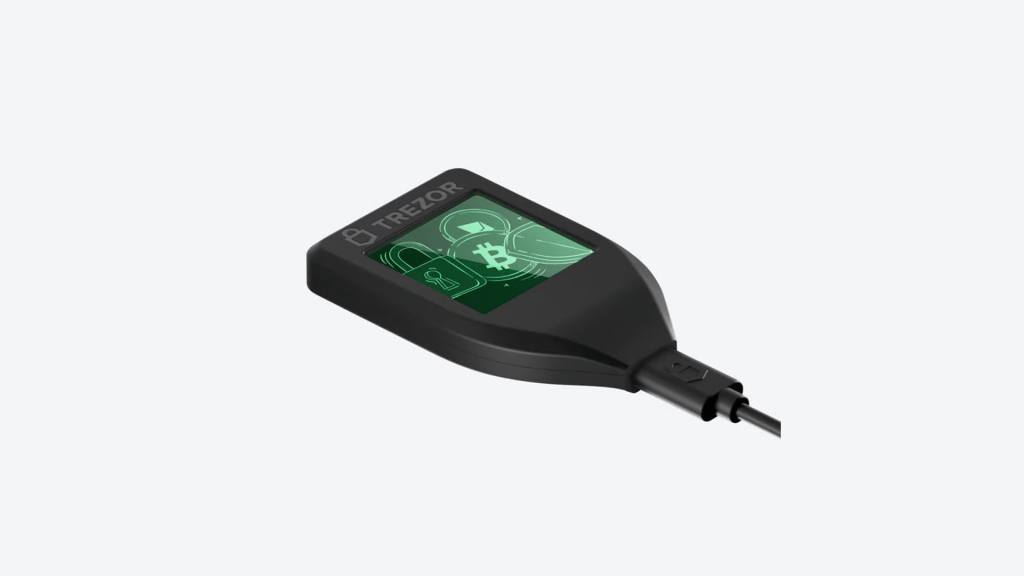
The Safe 3 is the current entry-level model and the direct successor to the Model One. Priced at around $79, it adds a certified EAL6+ secure element chip, which provides hardware-level protection against physical extraction attacks. It retains the two-button interface and small monochrome screen of the Model One but supports over 8,000 assets, including XRP, SOL, ADA, and XMR. It supports Shamir Backup and uses USB-C. For most users who want solid security without paying for a touchscreen, the Safe 3 is the practical choice.
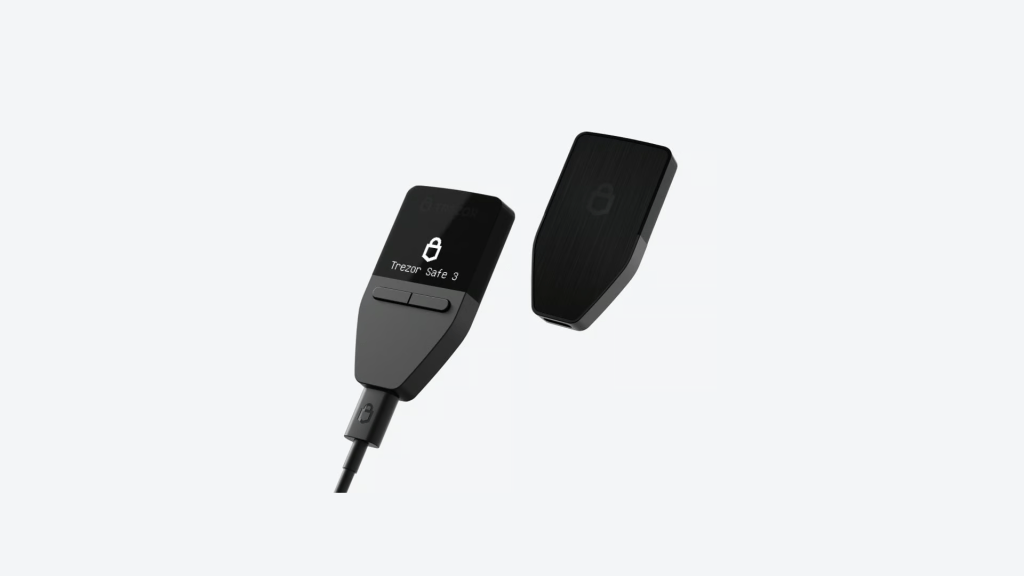
The Safe 5 steps up to a 1.54-inch color touchscreen with haptic feedback, a Gorilla Glass 3 front panel, an anodized aluminum back, and the same EAL6+ secure element as the Safe 3. It retains full Trezor Suite integration, WalletConnect for dApp access, and support for 8,000+ assets. Priced at around $129 to $169 depending on retailer and region, it suits users who send frequently and want a more comfortable PIN entry and transaction verification experience. iPhone users should note that iOS support remains limited on the Safe 5: you can check balances, buy, and receive, but you cannot send, swap, set up a new device, or manage device settings from an iPhone.
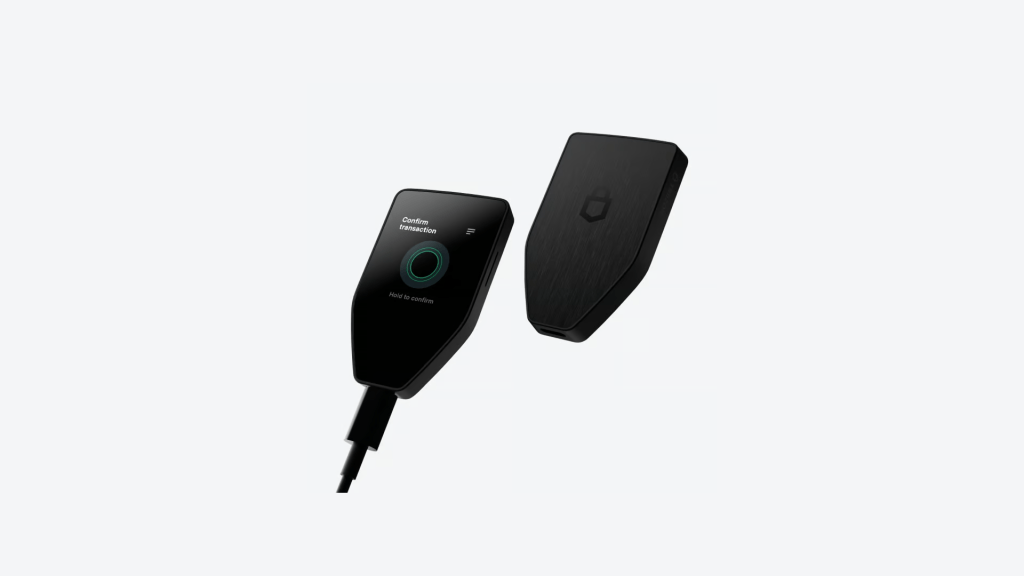
The Safe 7, released on October 21, 2025, is the most capable Trezor device ever built. It features a 2.5-inch touchscreen, Bluetooth connectivity, a built-in LiFePO4 battery (330mAh), and full iOS and Android support. It is the first hardware wallet built on the new TROPIC01 secure chip and the first to receive post-quantum cryptography updates, meaning it is designed to remain secure against cryptographic threats that are currently theoretical but expected to become practical as quantum computing matures. It is priced at $249. The addition of Bluetooth has drawn questions from the security community, but Trezor addresses this through the Trezor Host Protocol (THP), which encrypts every command and transaction over both wired and wireless connections. iOS users who have been locked out of the full Trezor experience will find the Safe 7 the only model that gives them everything.
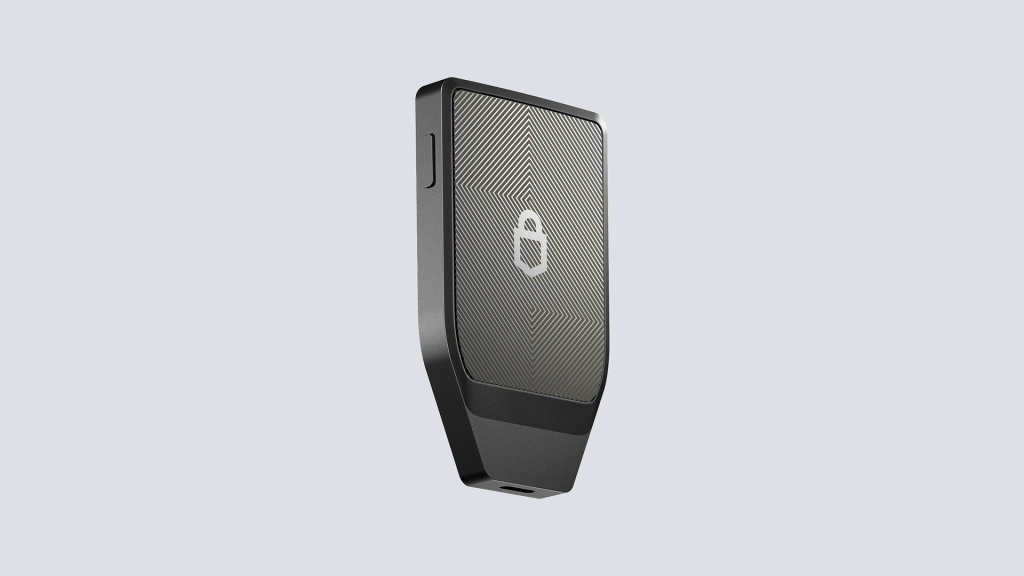
Trezor’s entire product philosophy is built around one principle: your private keys should never leave the device. Every transaction is prepared in Trezor Suite or a connected wallet application, but the signing happens on the physical hardware. Nothing is broadcast until you physically confirm it on the device. That means even if your computer is compromised, an attacker cannot execute a transaction without pressing the button in your hand.
All firmware across the entire Trezor range is fully open-source. The code is publicly available on GitHub, and independent researchers regularly audit it. This transparency has two sides: it allows the community to catch vulnerabilities quickly, but it also means any discovered issues become public knowledge immediately. Trezor’s track record here is strong. No remote exploit of any Trezor device firmware has ever been confirmed in production.
The Safe series (Safe 3, Safe 5, Safe 7) all include an EAL6+ certified secure element chip. This is the same certification level used in government identity documents and banking smart cards. The chip provides hardware-level resistance to physical attacks including voltage glitching, a technique that researchers at Kraken demonstrated in 2020 against the older Model One and Model T. Trezor adapted the Safe series specifically to address that vulnerability.
On the recovery side, Safe 3, Safe 5, and Safe 7 all support Shamir Backup (SLIP39). This allows you to split your recovery seed into up to 16 shares and set a threshold for recovery. For example, with a 2-of-3 setup, any two of your three shares are sufficient to restore the wallet, which means you can lose one share without losing access to your funds. The standard Model One and early firmware versions use BIP39, which is a single 24-word seed phrase.
The optional passphrase feature adds an additional layer of protection. You can create multiple hidden wallets tied to different passphrases, each appearing entirely separate. The passphrase is never stored anywhere by Trezor. If you forget it, there is no recovery path.
In January 2024, Trezor disclosed that an attacker gained unauthorized access to its third-party customer support ticketing system. The breach exposed email addresses and usernames for approximately 66,000 users who had interacted with Trezor support since late 2021. No device firmware was affected, no private keys were exposed, and no user funds were compromised. Trezor notified affected users and warned of potential phishing attempts using the exposed contact details.
This incident is a reminder that the security of your hardware wallet device is separate from the security of any company’s customer support infrastructure. The device itself was not breached. But it also underlines the importance of being skeptical of any email, text, or notification that asks you to update firmware, enter your seed phrase, or take urgent action. Trezor will never ask for your seed phrase through any channel.
Visit Trezor
Getting started with a Trezor is designed to be guided and deliberate. The process is intentionally thorough because the setup steps directly determine your long-term security. Here is what to expect.
Before connecting anything, inspect the packaging. Every Trezor ships with tamper-evident holographic seals over the USB-C port and heat-sealed outer packaging. If either seal shows signs of damage or tampering, do not proceed. Genuine Trezor devices are sold through trezor.io or verified resellers, and the device ships without pre-installed firmware.
Connect your Trezor to your computer using the included USB-C cable. Open a browser and go to trezor.io/start, or download the Trezor Suite desktop application directly from trezor.io. Avoid searching for Trezor Suite through third-party download sites.
Because Trezor devices ship without firmware, Trezor Suite will prompt you to install it on first connection. This step verifies the firmware signature on the device before installation. Follow the on-screen instructions. On touchscreen models, you will confirm the installation directly on the device screen.
Once firmware is installed, choose to create a new wallet. The device will generate your recovery seed and display it word by word. Write down every word on the included recovery seed card in the exact order shown. Do not take a photo, do not type it into any digital document, and do not store it in a password manager. After writing it down, Trezor Suite will ask you to verify selected words from your seed to confirm you recorded it correctly.
On Safe 3, Safe 5, and Safe 7, you also have the option to set up Shamir Backup here, splitting your seed into multiple shares. If you choose a single-share backup at this stage, you can upgrade to multi-share later without moving your funds, provided you are running firmware 2.7.2 or newer.
After securing your recovery seed, set a PIN on the device. The PIN is entered on the physical hardware, not on your computer screen, which means even a keylogger on your computer cannot capture it. Choose a PIN you will remember but that is not obvious. If the wrong PIN is entered 16 times consecutively, the device wipes itself automatically.
The passphrase feature creates a hidden wallet on top of your seed. If you enable it, entering a specific passphrase opens one wallet; entering a different passphrase opens a completely separate wallet. Neither is visible to anyone who only has your seed phrase. This feature is powerful but adds responsibility: Trezor has no record of your passphrase, and there is no recovery option if you forget it.
With setup complete, you can receive crypto. In Trezor Suite, navigate to your chosen asset and click Receive. Both Suite and the device will display your wallet address simultaneously. Verify that both match before sharing the address with anyone. Send a small test amount first if you are transferring a significant balance for the first time.
Trezor Suite is the free companion software for all Trezor devices. It is available as a desktop application for Windows, macOS, and Linux, and as a mobile app for Android. iPhone and iPad users can use a limited version of Trezor Suite for balance checking, buying, and receiving on the Safe 3 and Safe 5. Full mobile functionality requires either Android or the Safe 7.
The interface is well-designed and strikes a reasonable balance between accessibility and depth. When you connect your Trezor, Suite displays your portfolio value across all supported assets, with a chart showing performance over various time frames. From there, you can send, receive, buy, sell, swap, and stake directly.
Send and Receive is straightforward. When you initiate a send, Trezor Suite prepares the transaction and your device displays the destination address and amount for confirmation. You verify the details on the hardware screen and confirm physically. Receiving works the same way in reverse: Suite and your device display the deposit address simultaneously so you can cross-check it.
Buy and Sell is powered by integrated third-party providers. Suite automatically compares rates across providers to surface the best available deal. This is convenient, but the cost matters: providers typically apply spreads of 6 to 8 percent for smaller amounts, and Trezor adds a $0.95 flat fee on top. For anyone buying significant amounts regularly, a dedicated exchange will work out cheaper.
Swap lets you exchange one crypto for another within Suite. DEX-based swaps on EVM networks generally require no account creation or KYC. CEX-style swap providers may request identification depending on compliance rules and your region.
Staking is available for Ethereum, Cardano, and Solana directly within Trezor Suite. You keep custody of your assets throughout.
Privacy Features include Coin Control, which lets you select which UTXOs are included in a Bitcoin transaction, and built-in Tor network integration for routing Suite connections through the Tor network without needing a separate browser or VPN. These features are available on all models through Suite.
Third-party integrations extend the reach significantly. Trezor connects to over 30 third-party wallets including MetaMask, Exodus, Electrum, and Sparrow. Through WalletConnect, your Trezor can interact with over 70,000 decentralized applications while keeping signing keys on the hardware device.
Trezor’s fee structure is simpler than most platforms because it is a self-custody tool, not a financial intermediary. Here is how each cost layer works.
The hardware is a one-time purchase. There are no subscriptions, no monthly fees, and no account fees. Receiving crypto to your Trezor address costs nothing in terms of wallet fees. You only pay the blockchain network fees that go to miners or validators, which apply to any onchain transaction regardless of what wallet you use.
When you send crypto, you pay the network fee required by the blockchain. Trezor Suite suggests appropriate fees based on current network conditions and shows you estimated confirmation times for different fee levels. You can customise the fee manually if needed. These fees go to the network, not to Trezor.
Buying or selling through Trezor Suite involves third-party providers such as MoonPay and Simplex. These providers build their fees into the exchange rate and may apply percentage-based spreads that typically range from 1 to 8 percent depending on the amount, payment method, and provider. Trezor adds a $0.95 flat fee on top of the provider’s charge. The exact cost is displayed before you confirm, so you can review it in full.
For small purchases, these fees can feel disproportionate. If you are buying frequently or in larger amounts, using a separate exchange like Coinbase or Kraken and then transferring to your Trezor will be more cost-effective.
Swaps inside Suite route through integrated providers. DEX-based swaps on EVM networks often carry a small protocol fee plus gas. CEX-style swap routes involve provider spreads. As with buy and sell, the full cost breakdown is presented before you confirm.
Trezor also sells the Keep Metal, a stainless steel backup device for storing your recovery seed. It comes in two versions: Keep Metal 20-word ($99, compatible with Safe series using SLIP39) and Keep Metal 24-word ($99, compatible with BIP39 seeds including all Ledger wallets). Multi-share Keep Metal sets for the 20-word version range from $198 upward depending on the number of shares. This is optional but worth considering if you want a fireproof, waterproof physical backup for your seed.
Visit Trezor
Trezor is a hardware wallet manufactured by SatoshiLabs in Prague. It stores your private keys offline on a physical device and requires physical confirmation on that device before any transaction is signed. It is non-custodial, meaning you control your own assets.
For most users, the Safe 3 ($79) offers the best balance of security and price. If you want a touchscreen and send frequently, the Safe 5 ($129) is worth the premium. If you are an iOS user or want wireless connectivity and the latest security features, the Safe 7 ($249) is the model to get.
No KYC is required to hold, send, or receive crypto using your Trezor wallet. If you use the buy, sell, or swap features inside Trezor Suite, some third-party providers may require identity verification depending on their compliance rules and your region.
Your crypto is not stored on the device itself. It lives on the blockchain. If you have your recovery seed, you can restore your wallet on a new Trezor device or any compatible wallet that supports the same standard (BIP39 or SLIP39). Without your recovery seed, there is no way to recover your funds.
Yes. All Trezor firmware is publicly available on GitHub. This includes the firmware for Model One, Model T, Safe 3, Safe 5, and Safe 7. The hardware design for older models has also been shared publicly.
Both are leading hardware wallet brands. Trezor is fully open-source across firmware and uses NDA-free secure element chips, which means independent researchers can verify the entire security model. Ledger uses proprietary elements in parts of its architecture. Ledger Live has a broader integrated app ecosystem and better native NFT management. Trezor is generally considered stronger on transparency and privacy tooling. The right choice depends on which trade-offs matter more to you.
Shamir Backup (SLIP39) is a recovery seed splitting method available on Safe 3, Safe 5, and Safe 7. It divides your wallet’s recovery information into multiple shares, requiring only a subset to restore access. For example, a 2-of-3 setup creates three shares and requires any two to recover. This means you can lose one share without losing access to your wallet.
Safe 3 and Safe 5 have limited iOS functionality: you can check balances, buy crypto, and receive, but you cannot send, swap, set up the device, or access full wallet management from an iPhone. The Safe 7 offers full iOS support including Bluetooth connectivity.
Yes, provided you purchase through the official Trezor-verified store on Amazon. Buying from third-party Amazon sellers carries the risk of receiving a tampered or counterfeit device. When in doubt, buy directly from trezor.io.
In January 2024, an attacker accessed Trezor’s third-party customer support portal and exposed the email addresses and usernames of approximately 66,000 users who had contacted Trezor support since late 2021. No device firmware was affected, no private keys were compromised, and no user funds were lost. The incident was used as the basis for subsequent phishing campaigns targeting those users.
Yes. You can connect your Trezor device to MetaMask as a hardware signer. This means your MetaMask address is secured by your Trezor, and any transaction initiated through MetaMask must be physically confirmed on the device.
Visit TrezorSubscribe to our newsletter, you are in very good company











 Canada
  Australia