Buy a Licensed Company
  Explore VASP Data
  Talk to an Expert
 Buy a registered Canadian MSB

Leading hot wallet for Ethereum and EVM chains, built for seamless dApp access and custom network support.
| Founded | 2016 |
| Headquarters | USA |
| Wallet Type | Hot Wallet |
| Models Available | Browser extensions (Chrome, Firefox, Brave, Edge, Safari), Mobile apps (iOS, Android) |
| Chains Supported | Ethereum, EVM-compatible networks (BNB Chain, Polygon, Arbitrum, Optimism, Base, Avalanche), with non-EVM (Solana, Bitcoin) support planned via Snaps in 2025 |
| Connectivity | Internet-connected; browser extension or mobile app |
| Backup & Recovery | Standard 12-word seed phrase (BIP39), Hierarchical Deterministic (HD) wallet structure |
| Companion App | Browser extension and mobile apps |
| Customer Support | Help Center, community forums, AI-powered live chat, email support |
| Deposit/Receive Methods | On-chain transfers; fiat purchase via third-party gateways (MoonPay, Coinbase Pay) |
| Price & Fees | Free to download; swap fee 0.875%; fiat purchase markup ~1% + third-party fees; staking cut 15% |
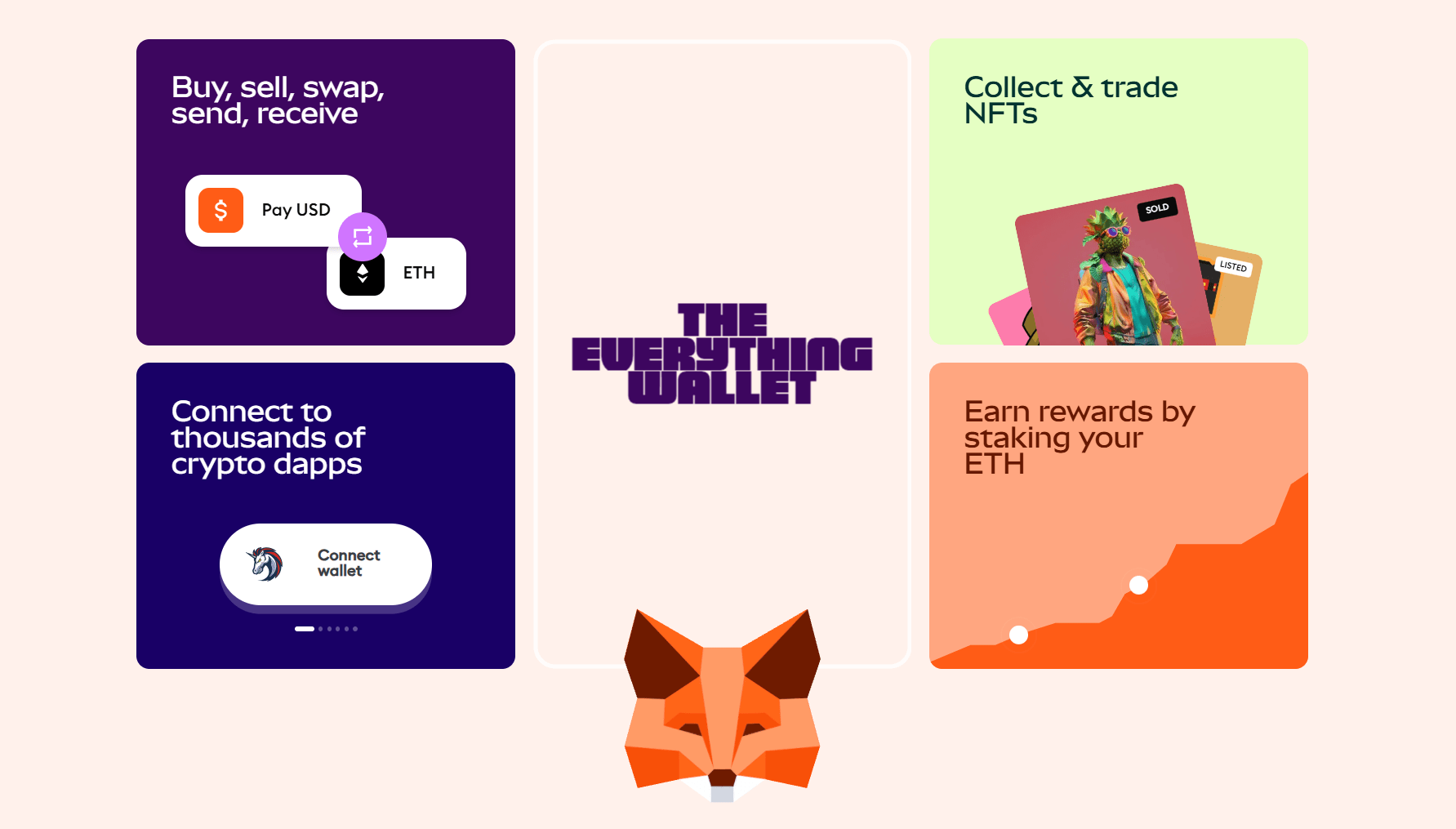
MetaMask is a software cryptocurrency wallet designed to give users control over their digital assets on Ethereum and compatible blockchains. It functions primarily as a browser extension available for Chrome, Firefox, Brave, Edge, and Safari, alongside mobile apps for iOS and Android. This combination makes it accessible for both desktop and mobile users.
As a non-custodial wallet, MetaMask stores private keys locally on the user’s device. This means only the user has access to their funds and transaction signing capabilities. MetaMask does not hold or manage assets on behalf of users, unlike custodial wallets or exchanges. Instead, it encrypts the private keys with a password or biometric lock on mobile devices, ensuring security while maintaining user control.
Being a hot wallet, MetaMask is connected to the internet, which allows for quick interaction with decentralized applications (dApps), token swaps, and real-time transaction management. This online access supports features like seamless dApp integration, portfolio tracking, and in-wallet swaps. However, it also exposes users to risks such as phishing attacks or malware if proper precautions are not taken.
In contrast, hardware wallets store private keys offline on physical devices, keeping them isolated from internet exposure. These devices provide stronger security but lack the immediate convenience and broad dApp access that MetaMask offers. Many users pair MetaMask with hardware wallets to combine ease of use with enhanced security.
MetaMask’s user interface remains functional but shows its age compared to newer wallets focused on modern design and multi-chain convenience. Setting up the wallet is straightforward. Users install the browser extension or mobile app, create a password or PIN, and securely save their 12-word seed phrase. This process takes only minutes and requires no advanced technical skills.
The desktop extension provides quick access to Ethereum and selected Layer-2 networks. However, adding networks beyond the defaults often requires manual entry of RPC details. Token management is similarly manual for less common assets, which can confuse new users. This contrasts with wallets that come preloaded with multiple chains and tokens.
The mobile app offers a more polished experience, including easier token discovery and NFT support. NFTs conforming to ERC-721 and ERC-1155 standards appear in the mobile wallet’s NFT tab, but desktop users cannot view NFTs within the extension. This inconsistency has been a point of user frustration.
MetaMask charges a 0.875% fee on token swaps within the wallet, which some find high compared to direct decentralized exchanges. The swap interface is clean but lacks advanced features like limit orders or detailed price breakdowns.
Network switching and account management are accessible but could benefit from streamlining. Users managing multiple wallets or many networks sometimes find navigation cumbersome.
The upcoming UI overhauls aim to address many of these issues. Promised improvements include a redesigned home screen, enhanced asset management across chains, and better visibility of staking and bridging options. These changes intend to modernize the interface and simplify interaction for both beginners and advanced users.
MetaMask was originally built for Ethereum and continues to support it as the primary network. Over time, it has added native integration for several Ethereum Virtual Machine (EVM) compatible chains such as Polygon, BNB Chain, Arbitrum, Optimism, Avalanche, and Base. These networks offer faster and cheaper transactions compared to Ethereum’s mainnet, allowing users to diversify activity within the same wallet interface.
Users can manually add additional EVM-compatible networks by entering custom RPC settings, including network name, chain ID, and RPC URL. This flexibility enables access to emerging or less common blockchains, though it requires familiarity with network details. Tokens on these networks often need to be manually added as well, which may present a learning curve for new users.
To broaden MetaMask’s reach beyond EVM chains, the wallet introduced Snaps in 2025. Snaps are modular, sandboxed JavaScript programs that extend the wallet’s capabilities without compromising security. This architecture allows third-party developers to build support for non-EVM blockchains like Solana and Bitcoin. MetaMask plans to enable native management of these assets through Snaps, removing the need for multiple wallets.
The introduction of Snaps marks a significant step toward a truly multi-chain wallet experience. While support for non-EVM chains remains experimental and requires user setup, it promises to simplify cross-chain asset management in the future.
Token swaps happen directly inside MetaMask, aggregating liquidity from multiple decentralized exchanges such as Uniswap and 1inch.
Fiat gateways integrated into MetaMask allow users to purchase cryptocurrencies using debit cards, credit cards, bank transfers, and e-wallets like Apple Pay and Google Pay. These services are provided by third-party partners like MoonPay and Coinbase Pay. While convenient, fiat transactions incur notable fees that can reach 3-5% or more, including MetaMask’s added 1% markup. Users should consider alternatives when dealing with larger purchases.
Staking support within MetaMask currently focuses on Ethereum and Polygon. Users can stake ETH through third-party providers such as Lido and Rocket Pool or stake Polygon tokens via Lido and Stader Labs. MetaMask takes a 15% cut of staking rewards, which is lower than some competitors but higher than direct staking options. Staking other cryptocurrencies is not supported.
MetaMask introduced the MetaMask Card in 2025, a Mastercard-linked debit card available in select regions including Europe, Latin America, and parts of North America. The card supports a limited number of tokens, such as USDC, WETH, and USDT on the Linea network. Users must manually swap tokens into these assets before spending. The card offers 1% cashback paid in the same token, which is modest compared to traditional credit cards.
The Gas Station feature launched in early 2025 improves usability by allowing users to pay Ethereum network fees using tokens other than ETH. This solves a common hurdle where users need ETH on hand to cover gas, especially when swapping tokens exclusively.
For added security, MetaMask supports integration with hardware wallets like Ledger and Trezor. This allows private keys to remain offline while leveraging MetaMask’s interface for dApp connectivity.
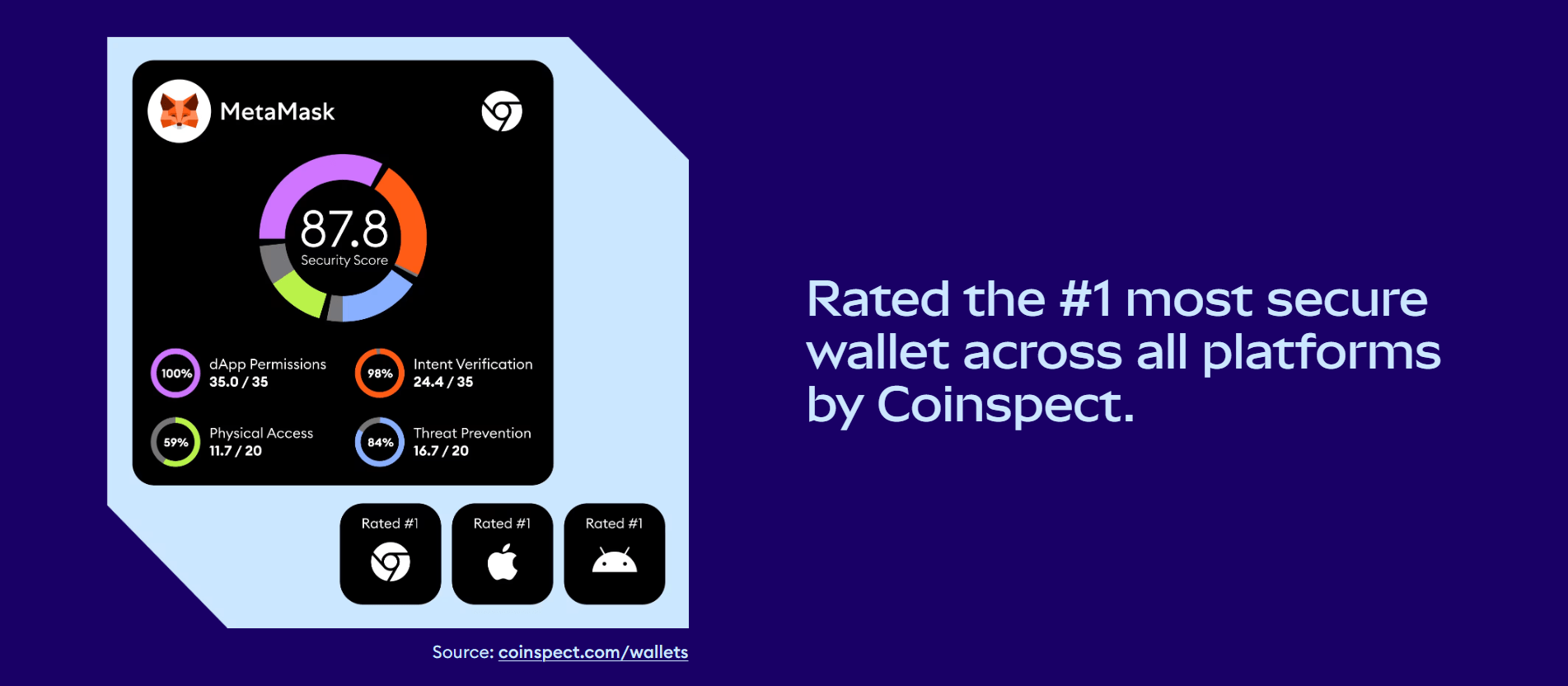
MetaMask secures private keys by encrypting them locally on the user’s device using AES-256 encryption. The wallet employs a hierarchical deterministic (HD) structure, generating all addresses from a single 12-word seed phrase. This seed phrase remains the ultimate backup, enabling wallet recovery if the device is lost or damaged.
Access to the wallet on desktop requires a password, while the mobile app adds biometric options such as fingerprint or facial recognition where available. These measures help prevent unauthorized access on the device itself but do not protect against external threats like phishing or malware.
Phishing attacks remain the most common threat to MetaMask users. Because MetaMask is a popular hot wallet, scammers often target users with fake websites, deceptive pop-ups, or social engineering to steal seed phrases or passwords. MetaMask includes phishing detection tools that warn users about suspicious sites, but these protections are not foolproof. Users must remain vigilant and verify URLs before interacting with dApps or approving transactions.
A notable gap in MetaMask’s security model is the absence of built-in two-factor authentication (2FA). While some users use the Snaps system to add 2FA through third-party extensions, this approach introduces additional complexity and potential risks. The most reliable way to add a second security layer is by pairing MetaMask with hardware wallets such as Ledger, Trezor, or NGRAVE. These devices store private keys offline, requiring physical confirmation for transactions, significantly reducing exposure to online threats.
MetaMask benefits from regular security audits conducted by firms like Certik and Halborn, and an active open-source community continuously reviews its code. The wallet also integrates Blockaid, a threat monitoring service, which helps detect and mitigate emerging risks.
Ledger Nano X offers better security by storing private keys offline on a Secure Element chip. It supports over 5,500 cryptocurrencies and tokens, with regular firmware updates and open-source components. The device requires physical confirmation for transactions, reducing risk of remote hacks. Its companion app, Ledger Live, is user-friendly but less convenient for dApp interaction compared to MetaMask. Ledger carries a hardware cost between $79 and $399, but it remains a top choice for users prioritizing security over convenience.
Trezor Model T also emphasizes security with open-source firmware and support for more than 1,000 assets. Its touchscreen interface makes navigation straightforward. Like Ledger, it requires physical confirmation of transactions and stores keys offline. Trezor lacks a dedicated mobile app and focuses mainly on desktop users. It costs around $180 to $270 and appeals to users valuing transparency and hardware protection.
Trust Wallet is a hot mobile wallet supporting over 10 million assets across 100+ blockchains. It offers staking, swaps, and a built-in dApp browser. While user-friendly and rich in features, it lacks native two-factor authentication and hardware wallet integration, which increases vulnerability. Trust Wallet charges no wallet fees but swap and network fees apply. It suits users who prioritize multi-chain access on mobile but are willing to accept higher security risks.
MetaMask suits users who want easy access to Ethereum and its decentralized applications. Beginners benefit from its straightforward setup and familiar browser extension format. DeFi traders, NFT collectors, and gamers find MetaMask useful for seamless interaction with the ecosystem’s broad range of dApps.
Advanced users appreciate the wallet’s customizability. Features like manual network additions and the Snaps system let them tailor the wallet to their needs and experiment with emerging blockchains. MetaMask’s integration with hardware wallets also appeals to those who want added security without sacrificing convenience.
On the other hand, MetaMask may not be ideal for users holding large crypto portfolios. Its hot wallet design carries higher security risks than cold storage solutions. The lack of built-in two-factor authentication leaves accounts more vulnerable to phishing and malware.
Users seeking native multi-chain support beyond EVM-compatible networks might find MetaMask limiting until Snaps fully mature. Those prioritizing low fees should consider wallets with cheaper swap and staking options.
Visit Metamask
Installing MetaMask is simple and fast. Start by downloading the official browser extension from metamask.io or from trusted app stores for iOS or Android devices. Avoid third-party sites to prevent phishing risks.
Once installed, open MetaMask and choose “Create a Wallet.” Set a strong password on desktop or a PIN on mobile. You will then receive a 12-word seed phrase. Write this phrase down carefully and store it offline in a safe place. This phrase is the only way to recover your wallet if you lose access to your device.
After setup, MetaMask automatically creates an Ethereum account for you. You can view your public address under “Account 1” and use it to receive ETH or ERC-20 tokens. To add other tokens, either search for popular ones in the wallet interface or enter their contract address manually. This helps display balances for lesser-known assets.
To interact with other EVM-compatible networks like Polygon or Arbitrum, go to “Settings” and select “Networks.” You can add new networks by inputting required details such as network name, RPC URL, chain ID, and currency symbol. This manual process gives access to many blockchains but requires accurate information.
Connecting to decentralized applications happens automatically when you visit dApp websites. MetaMask prompts you to approve connection requests and transactions. Review transaction details carefully before confirming, as blockchain transfers are irreversible.
For stronger security, pair MetaMask with a hardware wallet like Ledger or Trezor. Connect the device and import its accounts into MetaMask. This setup keeps private keys offline while allowing you to use MetaMask as an interface for dApps.
MetaMask offers customer support through an extensive online Help Center filled with guides, FAQs, and troubleshooting tips. Users can access live chat, which initially connects to an AI assistant. Requesting a “live agent” may lead to human support, but response times vary from minutes to days depending on the issue.
The wallet benefits from a large and active community. MetaMask’s open-source code invites contributions and audits from developers worldwide. It maintains official social media channels and forums where users share advice and updates.
Users should be cautious of impersonation scams, which often occur on social media or email. Scammers may pose as MetaMask representatives to steal seed phrases or passwords. MetaMask never asks for private keys or recovery phrases through support channels. Always use official websites and avoid sharing sensitive information.
MetaMask remains a key player in the crypto wallet landscape, especially for Ethereum users and those engaging with decentralized applications. Its wide adoption, open-source foundation, and seamless integration with dApps make it a natural choice for accessing the Ethereum ecosystem. The wallet’s support for multiple EVM-compatible chains and the introduction of Snaps signal a commitment to expanding functionality and embracing a multi-chain future.
However, its status as a hot wallet comes with inherent security trade-offs. The absence of built-in two-factor authentication leaves accounts vulnerable to phishing and malware attacks. While hardware wallet integration offers a valuable security layer, users must take responsibility for safeguarding their seed phrases and practicing caution online.
MetaMask’s fees on swaps and fiat transactions are higher than some competitors, which may deter cost-conscious users. The current limitations in NFT support and manual network management may also frustrate newcomers or those seeking a more streamlined experience.
For users active in the Ethereum ecosystem and comfortable managing security, MetaMask remains a reliable and evolving choice in 2025.
Visit Metamask
MetaMask encrypts private keys locally and uses standard seed phrases for recovery. However, as a hot wallet connected to the internet, it is vulnerable to phishing and malware. Pairing it with a hardware wallet and practicing caution improves security.
MetaMask supports Ethereum and all ERC-20 tokens, plus EVM-compatible networks like Polygon, Arbitrum, and BNB Chain. Non-EVM chains such as Bitcoin and Solana require using Snaps, which are still being developed.
Basic wallet use is free. Swaps within MetaMask incur a 0.875% service fee, which is higher than many DEXs. Fiat purchases have additional fees from third-party gateways plus a 1% MetaMask markup. Network gas fees apply on all transactions.
Yes. MetaMask supports Ledger, Trezor, and NGRAVE devices. This setup keeps private keys offline while using MetaMask’s interface to interact with dApps, combining convenience and security.
Use your 12-word seed phrase to restore the wallet on any MetaMask installation. Keep this phrase secure and offline, as anyone with access can control your funds.
MetaMask does not offer native 2FA. Some users use Snaps for 2FA features, but these add-ons have their own risks. Hardware wallet pairing is the recommended way to add a security layer.
New EVM-compatible networks can be added manually by entering network details in settings. Tokens can be added by searching popular tokens or entering the token contract address.
NFTs compliant with ERC-721 and ERC-1155 standards show up in the mobile app’s NFT tab. Desktop extension users cannot view NFTs within MetaMask.
Do not enter your seed phrase or password on suspicious sites. Always verify URLs and only use official MetaMask websites and apps. Report scams to MetaMask and stay updated on security advisories.
Visit MetamaskSubscribe to our newsletter, you are in very good company








 Canada