Buy a Licensed Company
  Explore VASP Data
  Talk to an Expert
 Buy a registered Canadian MSB

OneKey Classic 1S, Classic 1S Pure, and OneKey Pro put through real-world use, from setup and cold storage to who should actually use them.
| Founded | 2020 |
| Headquarters | Hong Kong |
| Wallet Type | Cold Wallet |
| Models Available | OneKey Classic 1S, OneKeyClassic 1S Pure, OneKey Pro |
| Chains Supported | 60+ blockchains, 30,000+ coins and tokens |
| Connectivity | USB-C and Bluetooth, works with desktop and mobile |
| Backup & Recovery | BIP39 12/18/24-word seed phrase, optional BIP39 passphrase |
| Companion App | OneKey App (iOS, Android, Windows, macOS, Linux, browser extension) |
| Customer Support | Help centre and docs, in-app chat/email |
| Deposit/Receive Methods | On-chain crypto transfers, fiat buys, and off-ramping via third-party providers inside the app |
| Price & Fees | Classic 1S Pure - $79, Classic 1S - $99, Pro - $278 |
OneKey sells itself as the open-source, design-aware alternative from Asia, backed by Coinbase and Dragonfly, with a full lineup including the OneKey Classic 1S, Classic 1S Pure, and the flagship OneKey Pro. All three are non-custodial cold wallets, all talk to the same app, and all try to cover everything from “throw it in the wallet and travel” to “daily DeFi and NFT trading from a touchscreen brick on the desk”.
The hardware delivers a lot for the price. The Classic and Classic Pure feel like proper cold wallets, the Pro feels like a mini device with real UX, and the setup flow is friendlier than most older-generation hardware wallets. The end result is a wallet family that looks very strong on paper, works well most of the time, but still has sharp edges that a serious self-custody user needs to understand.
OneKey started in 2020, headquartered in Hong Kong, with the simple pitch of an open-source hardware wallet focused on self-custody, multi-chain support, and a good companion app. The founder is Yishi Wang, and the company pushed early on the “fully open source, community can audit everything” angle to stand out from Ledger’s closed firmware approach.
OneKey raised around $20 million in Series A funding, led by names like Coinbase Ventures and Dragonfly Capital. The company claims billions in assets secured across its devices and likes to call itself the leading hardware wallet brand in the Eastern hemisphere. They completed a Series B in 2025 after a $150 million valuation led by YZi Labs.
This year, OneKey has continued to solidify its position in the hardware wallet market with iterative improvements focused on usability, security, and ecosystem integration. Key firmware updates, such as version 4.15 for the OneKey Pro, introduced built-in support for the top 50 popular tokens, a BTC-only firmware switch for enhanced Bitcoin-specific security, and refined UI elements like smoother sliding effects and streamlined onboarding processes. Earlier in the year, the Classic models received enhancements in May, including updated naming for Polygon’s POL token and optimized PIN input experiences. The company expanded chain support, notably adding full Aptos integration with zero-fee stablecoin transfers in August, alongside niche token compatibilities like FDOG.
By 2026, the lineup looks like this:
Design is one of OneKey’s strongest cards.
Both Classics are thin, light, and discreet. The size and thickness sit close to a credit card, around 20 grams in weight. The black Classic with a battery feels like a tiny media player from another era. The white Classic Pure feels slightly more “tool” than gadget.
The Layout:
The buttons have a clear click. The screen has that old-TV, retro pixel look that actually helps readability. Nothing shines or screams, “steal me, I am expensive”.
The Classic Pure trades the battery for longevity. No need for charging cycles or swollen casing ten years later. That matters for anyone who wants a wallet that can sit untouched for long stretches and still boot up when needed. The cost is obvious. The device is dead without a cable and a power source.
The Pro is a different beast. Large colour touchscreen, fingerprint sensor, haptics, wireless charging. It looks and feels like a compact gadget rather than a card.
The Pro boots into a lock screen, unlocks with the PIN, and shows a grid of apps (connect to app, scan, addresses, backup, settings, NFT gallery, guide). The screen is responsive enough, but not phone-level smooth. The panel and camera both feel cheaper than the $270 price would suggest. The camera struggles in bad lighting and sometimes fails to scan QR codes that a normal phone reads instantly. But all in all, it gets the job done, quite efficiently too.
The Pro is still comfortable to hold and use, just clearly optimized for function and security over polish. That choice is probably correct in a hardware wallet, but it is worth mentioning at this price.
Visit OneKey Wallet
All devices follow the same basic pattern:
The Pro adds extra secure elements and more attack surface separation. It also supports air-gapped QR signing. That means the device can show a QR code with a signed transaction, and the app can scan it, so the transaction can cross the air gap without a cable or Bluetooth.
The Classics do not support full air-gap flows. They are still cold wallets because keys stay on the device, but every transaction passes through a wired or wireless connection to a phone or computer. For most users, that is fine. For high-value holdings or paranoid threat models, that difference matters.
Firmware and software are open source, pushed to public repositories. Security firms like SlowMist have audited the firmware, and there was at least one early vulnerability found by independent researchers and patched quickly. That is how open-source security should work, where you have a public bug, public fix, and no silent damage.
Some user reports point to server-side firmware verification that cannot be turned off easily. Some reports show unique user IDs tied to requests, which makes linking activity to devices possible on their side. Lastly, some point to telemetry and tracking options that are not fully optional in the mobile app.
The app allows connecting to custom nodes for Bitcoin and other chains, but the default flow still sends a lot of metadata through OneKey’s own infrastructure. Privacy-focused users call this out directly, especially those who want a hardware wallet that behaves more like a blind signer behind their own node.
For most users, the bigger risk is still phishing, fake dapps, and seed leaks. For privacy heavyweights who want to reduce how much any vendor can see, these design choices matter more.
OneKey claims support for more than 60 blockchains and thousands of tokens. The basics are all there (Bitcoin, Ethereum and EVM chains, Solana, Tron, Polygon, and many, many more).
There is clear breakdown by chain, and the way each blockchain appears separately in the app makes mental accounting easier.
Though some users did report the removal of Monero and have requested other assets to appear as well.
The hardware connects not just to the OneKey app, but also to third-party wallets using the Trezor protocol and similar standards. Players like MetaMask, Sparrow, and Rabby can sit on top of OneKey devices, which spreads risk. Users are not locked into a single vendor app forever.
The main view shows total portfolio, then per-asset and per-chain breakdown. Quick buttons cover send, receive, swap, maybe perps, and staking, depending on region and version. The NFT section has its own area.
The app feels like a modern multi-chain wallet with a hardware handshake in the background. Clean fonts, clear separation between networks, decent UX for copying and sharing addresses.
On quiet days, the app behaves well. Transactions go through, device confirmations are fast, and balances update quickly.
But sometimes, transactions may take a little bit more time, and if you need something to be done quickly, you may occasionally find the experience just a tad bit frustrating. Nonetheless, considering that security is of the utmost importance, the app does the job and provides the full stack for any transaction type.
There were also cases when Bluetooth connections dropped mid-flow, and USB-C becomes the only reliable option on some setups.
None of this means the device is unsafe. It does mean anyone buying into the “use this as an everyday trading stack” story should know that app performance and backend stability are still a work in progress.
Visit OneKey Wallet
Most problems with hardware wallets start at setup. You may mishandle the seed, misunderstand the passphrase, download the wrong app, etc. OneKey does at least try to make the process clear.
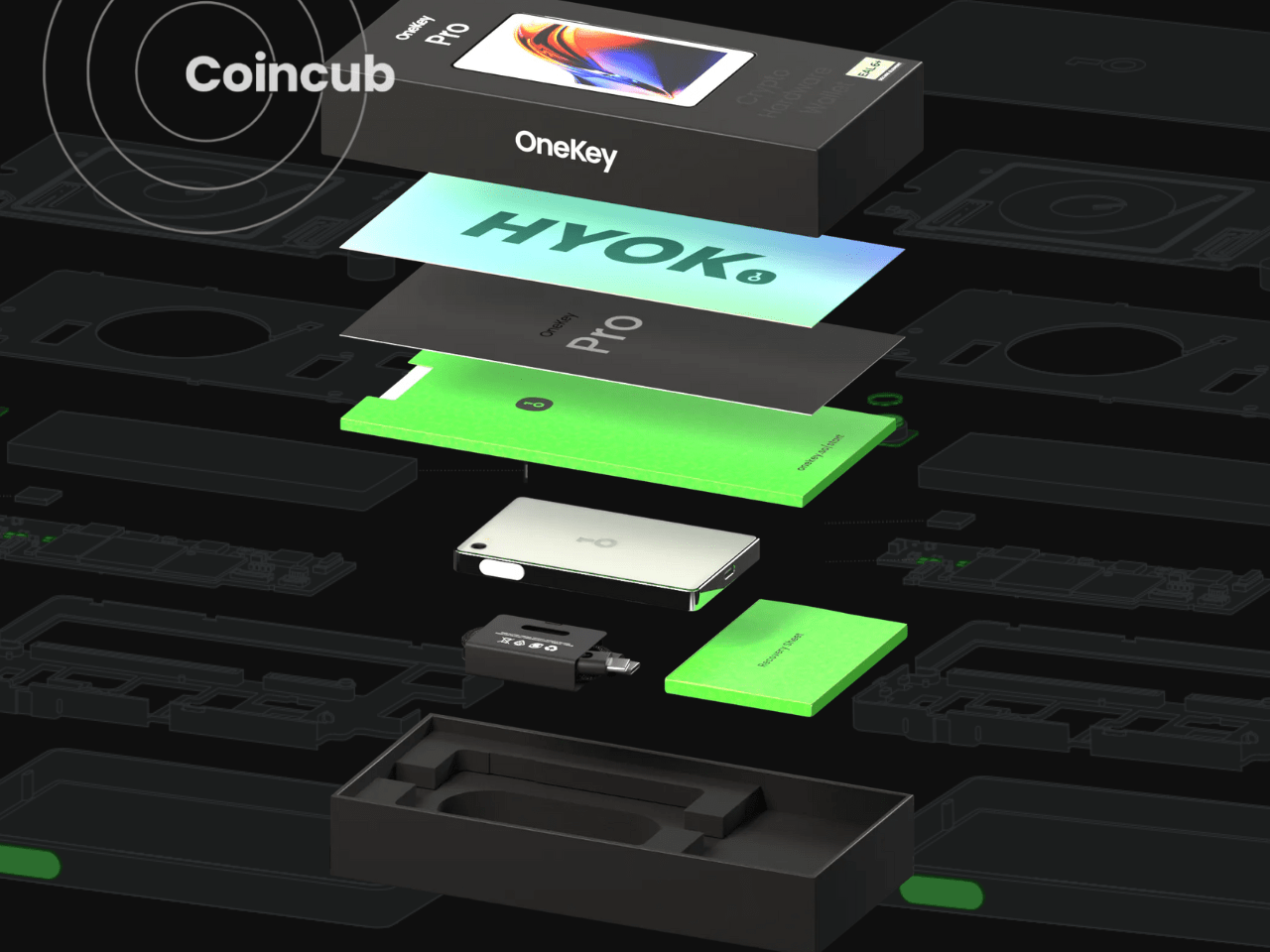
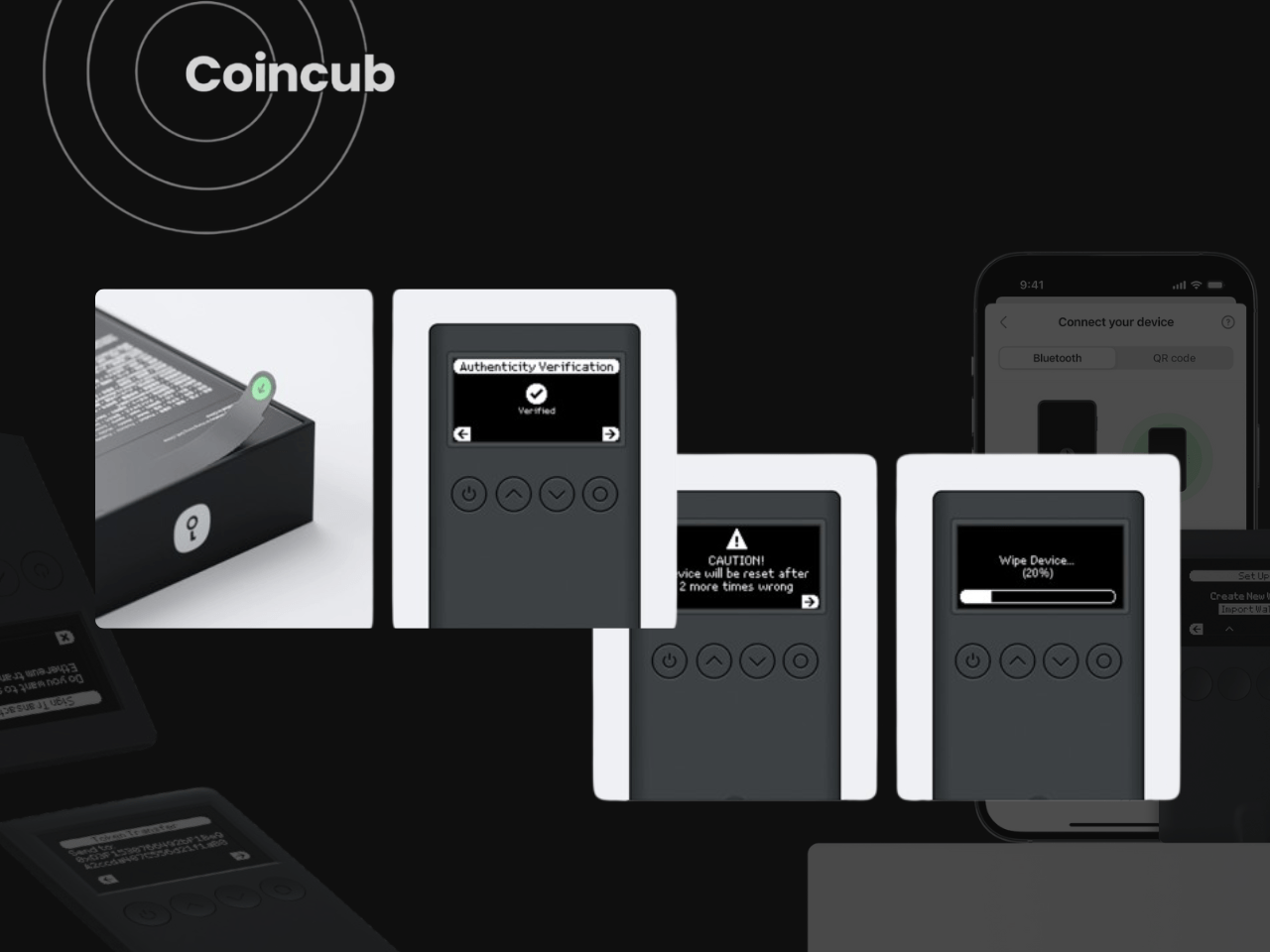
The packaging looks more like a consumer gadget than a nerd tool, with box, inner tray, anti-tamper seals, recovery cards, and stickers. The Classic and Pro both arrive shrink-wrapped with seals that show tampering. The basic checks still apply, where you look if the packaging is intact, device looks new, QR codes and links point to onekey.so, not random domains, and the companion app is downloaded from the official site or app store link, not from an ad. Overall, the whole unboxing experience feels and looks amazing, and it may feel like you just bought a $2,000 phone. If comparing the unboxing of the OneKey Classics and the Ledger Nano S, the OneKey feels a lot better and richer. The same goes for the Pro.
Classic 1S turns on with a long press on the power button. It runs on its own small battery and can be used unplugged.
Classic 1S Pure has no battery at all. It needs a USB-C cable every time. That sounds annoying, but it also removes the “dead battery after 10 years” problem.
OneKey Pro uses a long press on the side button and shows the OneKey logo, then a lock screen. It can charge via USB-C or a wireless pad.
The creation flow is similar on all three:
The flow is straightforward. The screens are small on the Classic, but the prompts are clear. The Pro feels closer to a tiny smartphone, just slower and much more locked down.
Importing a BIP39 seed also lives in the main menu. The device lets the user select “Import”, then the word count, then scroll through the word list on the device. This part is always painful on any hardware wallet. OneKey is not unique here. The important part is that it respects standard BIP39 phrases, so seeds from other wallets can be moved over, and seeds created here can move out again later.
A firmware update is usually waiting after first setup. Running that through the official app is worth the extra few minutes. Most older bugs and vulnerabilities only vanish after that first update, on this and any other hardware wallet brand.
Once the device is initialized, everything runs through a pairing between hardware and the OneKey app.
The app is available on iOS, Android, Windows, macOS and Linux. First launch shows a “Connect hardware wallet” path.
With Bluetooth pairing, Classic and Pro show up as a device, the phone or laptop connects, then a scrambled PIN keypad appears on the hardware. The app shows a grid with numbers, but their positions are changed. That layout is mirrored on the device, so the PIN is entered by position rather than by number, which makes shoulder-surfing harder.
Classic, Classic Pure and Pro can also pair by cable. This path is sometimes the only stable one on certain desktop setups and is the fallback when Bluetooth throws errors.
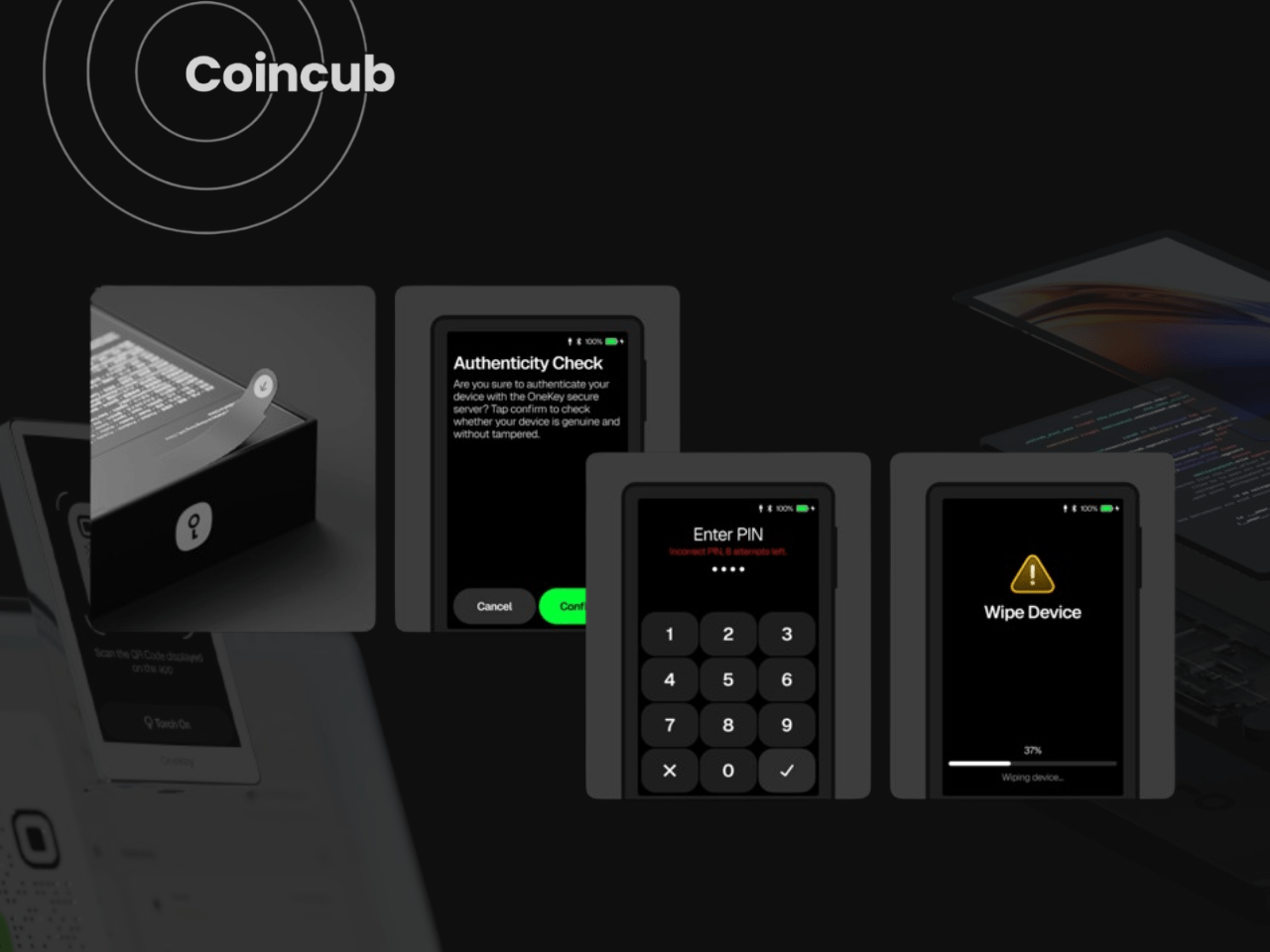
Once the PIN entry passes, the app loads the accounts from the device and shows a portfolio view.
Receiving is simple on all three models:
On some flows, the app asks for a device confirmation before copying the address for the first time. That extra friction is useful. It forces one clean confirmation that the address actually belongs to the seed inside the device instead of some random watch-only or scam account.
Sending funds is also relatively simple”
In testing on Solana USDC from a Classic, the fee estimator glitched. A 10 USDC transfer on Solana showed a fee around $4, which is absurd on that chain. As a safeguard, the frontend triggers a ‘Network fee alert’ when the gas fee is abnormal, requiring manual confirmation to proceed. The company is actively optimizing its gas estimation algorithms to filter out these spikes in the future. Cancelling and rebuilding the transaction dropped the fee down to around $0.14. The transfer then took roughly five minutes end-to-end.
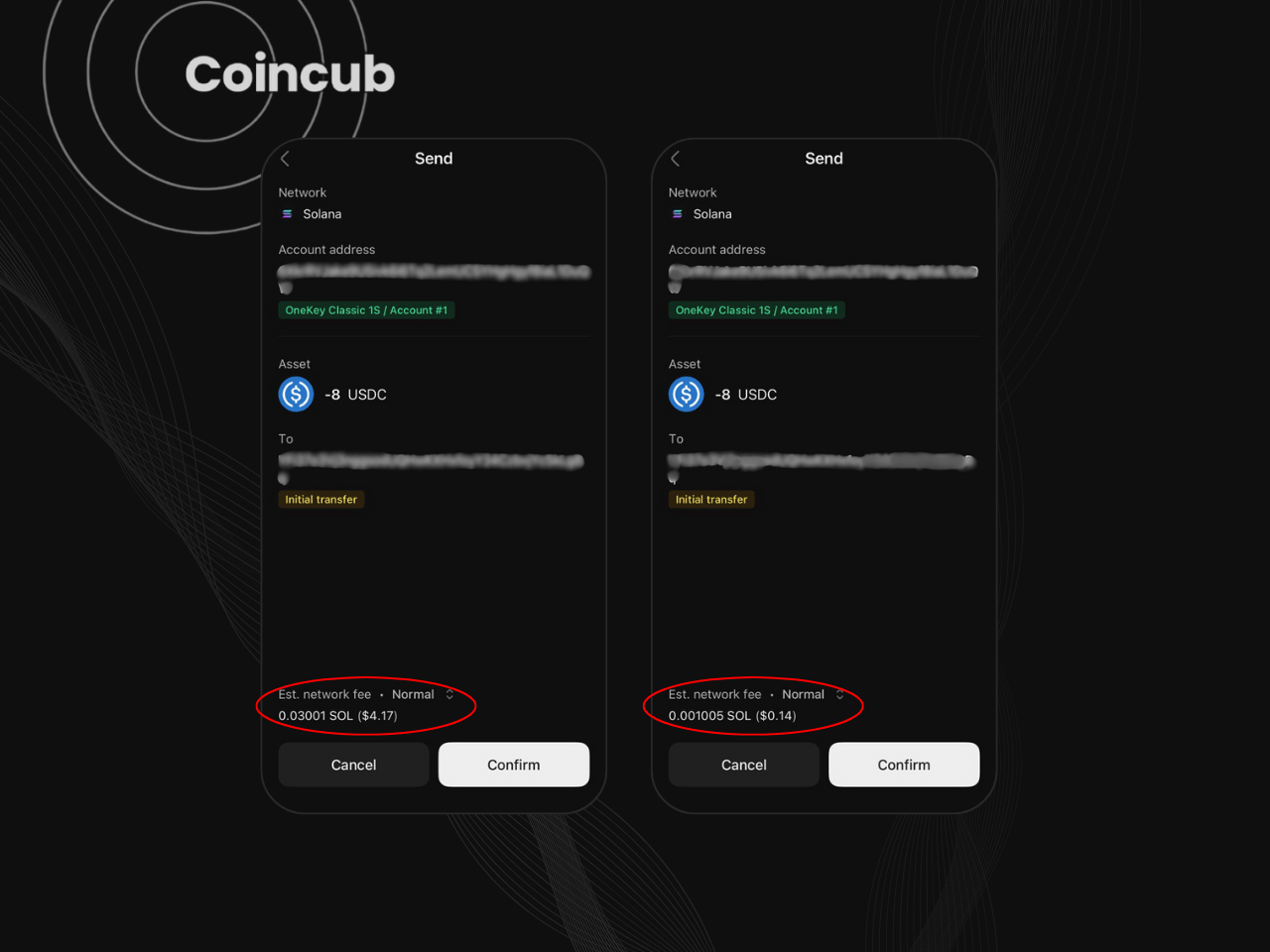
The crypto itself moves at chain speed. The delay came from the app and the back-and-forth between app, servers, and hardware. This is not a complete dealbreaker for a cold wallet that mostly manages long-term funds, but it shows that the app stack is not bulletproof. Any user who needs to hit precise exit windows in fast markets will feel this.
On the Pro, basic sends feel smoother, with a larger screen, clearer prompts, and a swipe-to-confirm gesture that makes it harder to mistap. The core flow is the same, though. App builds a transaction, device signs, and then the app broadcasts.
The Pro can handle hundreds of accounts inside a single seed. Classic and Pure follow the same logic. Different sub-accounts for different strategies stay under one recovery phrase.
The app plugs into DEXs and protocols through WalletConnect and browser-extension style flows. OneKey also integrates with MetaMask and Trezor-protocol wallets, so the hardware can sit behind existing browser setups.
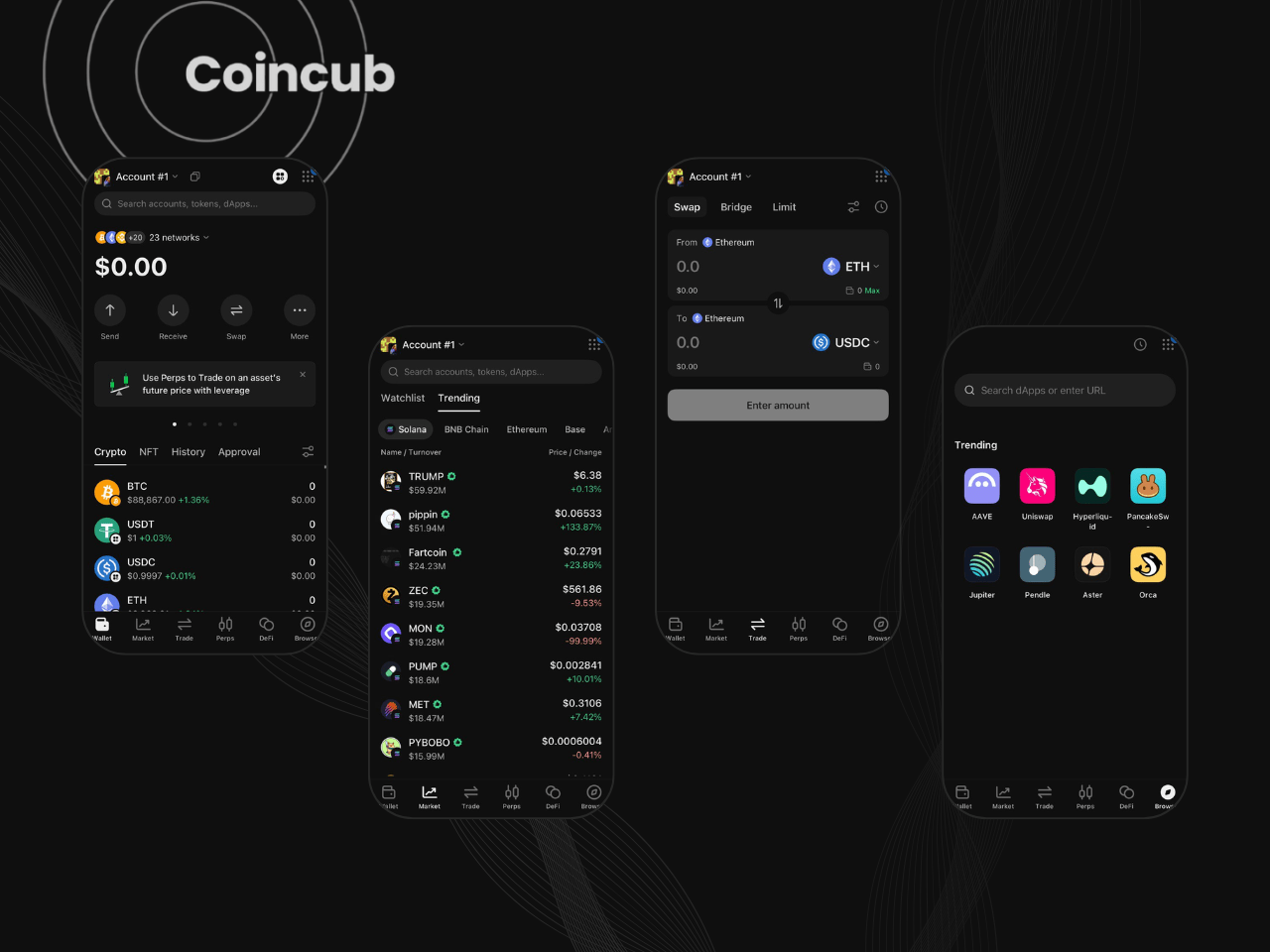
The app also has an NFT gallery, and the Pro has a dedicated gallery app on device. The NFTs sit on chain as usual. The on-device gallery is more of a convenience layer.
The experience feels like a modern, multi-chain hot wallet that happens to have a hardware signer behind it. That is the whole point, but it also means all the usual dapp-risk still exists. The device stops private keys from leaving. It does not stop bad approvals, fake websites or garbage tokens.
Overall ratings sit high, around 4.1 out of 5 on Trustpilot at the time of writing. Happy customers praise build quality, simplicity, and the feel of the hardware. Unhappy customers rarely complain about the chips. They complain about app bugs, shipping, and support (though this is less common in 2025). There are also angry reviews from people who lost funds after seed or passphrase mistakes and expected the company to somehow reverse that.
The support staff is very responsive, with fast replies, they help users on setups, and basically “hand-hold” beginners into getting the full OneKey experience.
But there have been cases when there were unanswered emails, tickets that went nowhere, or problems that may have been brushed off with “try again.”
Taken together, the picture is mixed. The hardware and base UX get strong praise, the app and logistics pull the average down, and anyone ordering from tricky customs jurisdictions should factor that in before trusting a single device for all their cold storage.
The price of the Classics puts it in competition with the Ledger Nano S Plus and Trezor One. But the Classics do have a four-button interface instead of just two, which does make the experience a LOT more convenient than having to click two buttons or hold two buttons at the same time to confirm something.
Classic 1S Pure gives a lot of security and flexibility for its price, plus the battery-free longevity angle and Bluetooth, which Ledger Nano S Plus does not offer.
Classic 1S adds convenience for a modest price jump. Always-on battery, portable signing, Bluetooth on the go.
OneKey Pro sits in the premium segment. It justifies the price on security hardware and features (multiple secure elements, fingerprint, QR air-gap, wireless charging). The screen and camera remind us that this is still a security tool first, rather than a polished phone replacement.
For someone who wants an open-source alternative to Ledger with a good app and a slim device, the Classics land in a sweet spot. For someone who wants the most polished brand, deepest third-party ecosystem, and longest track record, price alone will not be enough to beat Ledger and Trezor.
| OneKey model | Current price | Best for |
|---|---|---|
| OneKey Classic 1S Pure | $79 | Battery-free cold storage and simple long-term holding |
| OneKey Classic 1S Pure / BTC-Only | $79 | Bitcoin-only users who want a reduced-asset setup |
| OneKey Classic 1S | $99 | Everyday cold storage with better portability |
| OneKey Pro | $278 | Touchscreen signing, biometrics, DeFi, NFTs, and daily use |
Yes, as long as the seed and passphrase are handled properly, the hardware uses secure elements, offline key generation, and open-source firmware.
Nothing happens to the funds; they can be restored on any BIP39-compatible wallet using the seed phrase (and passphrase if used).
Classic, Classic Pure, and Pro use the same app stack and cover the same main chains, with some gaps on assets like XMR, HBAR, and XLM.
The OneKey app is the default, but the devices also work with compatible third-party wallets like MetaMask, Sparrow, and others.
Yes, especially on the Pro, which works well with WalletConnect, DEXs, and NFT galleries, while keeping keys on the hardware.
Classic 1S suits most new users; Classic 1S Pure fits long-term storage, and Pro is better for bigger portfolios and heavy DeFi use.
Visit OneKey Wallet South Africa
 Subscribe to our newsletter, you are in very good company